Two engines, one session list
Pi and OpenCode drive the same sidebar, transcript and tabs. A session remembers which engine holds its conversation, so reopening it returns to that engine.
agent-agnostic · engine-neutral
A chat panel inside VS Code, or a browser UI served by a small host. Works with Pi and OpenCode — one session list, one transcript, one set of shortcuts, regardless of which agent is driving.
$ npm install -g @supanadit/morse-web
$ morse start

  ▲  Morse started
  │
  ◆  port 4399 (PID: 20880)
  │
  ●  visit: http://127.0.0.1:4399/
  ●  logs:  morse logs
  │
└ daemon running — the terminal can be closedMorse doesn't embed an agent; it talks to each one through its own RPC/API. Both clips run the same agent, transcript and protocol.
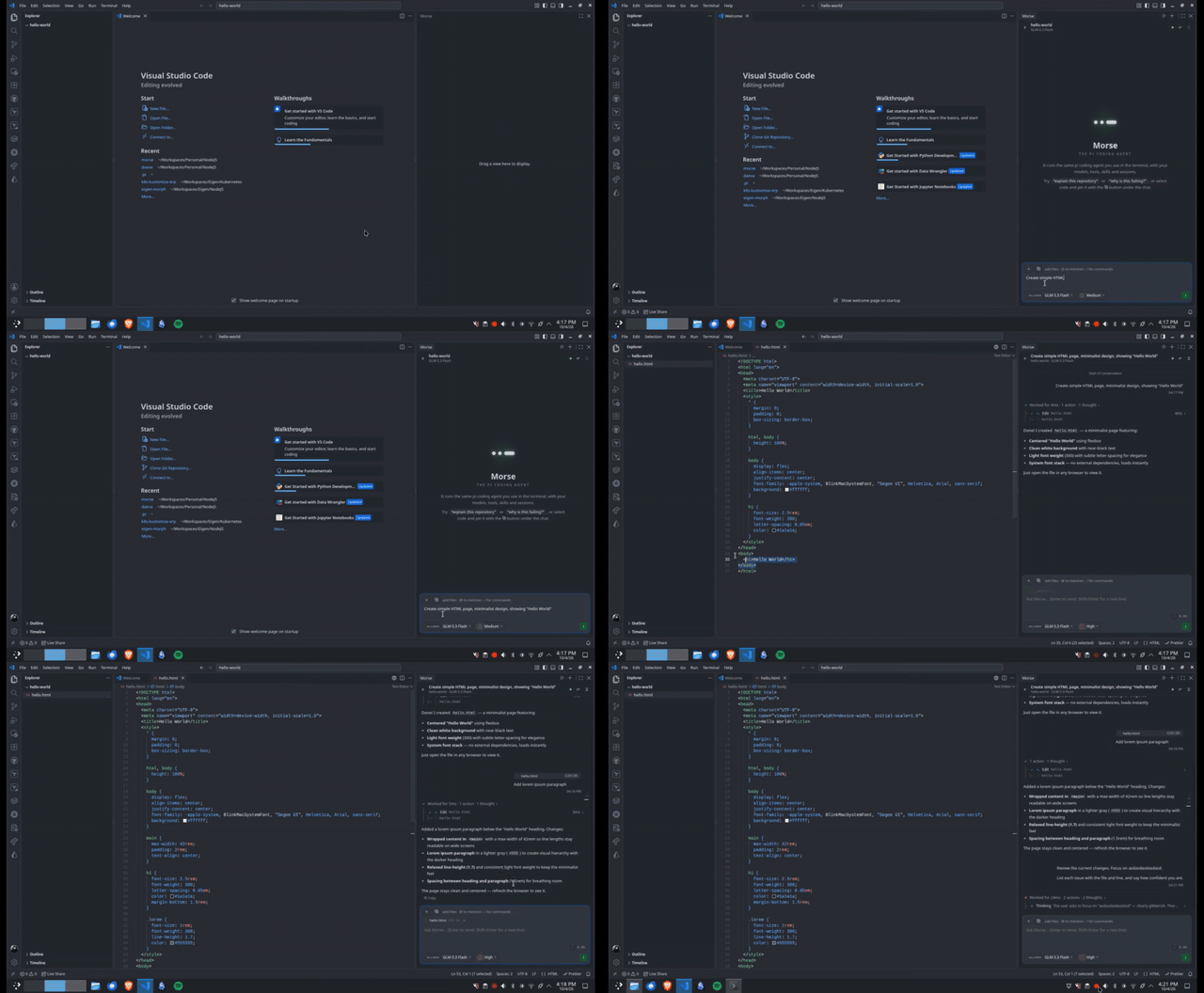
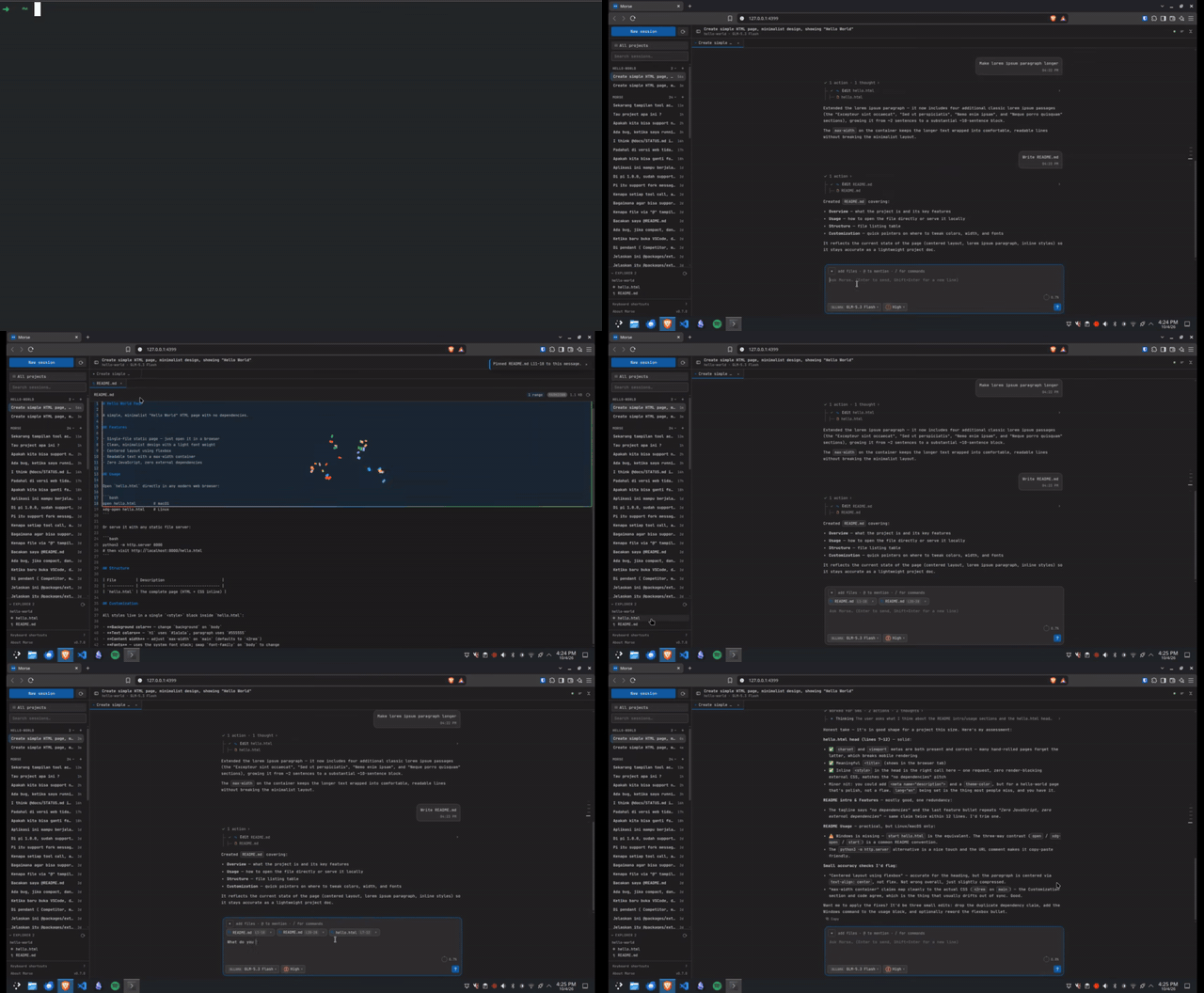
Pi and OpenCode are the engines today; the same session list, transcript and UI are ready to host more as integrations land — no fork of the interface.
Pi and OpenCode drive the same sidebar, transcript and tabs. A session remembers which engine holds its conversation, so reopening it returns to that engine.
Steer, queue follow-ups mid-run, abort, and compact context with a click — a prompt sent mid-run is queued above the composer, never refused.
Markdown with highlighted, copyable code blocks; tool calls as a compact tree; thinking that streams as it arrives; paged history for long sessions.
The pickers mirror what the current model actually supports in pi's own TUI — a model added to models.json appears without reload or restart.
Edit-and-resend forks a session before a past prompt; the old branch stays resumable. Fork branches and hands the prompt back to the composer.
Editor selections and live chips in VS Code; drag, drop and pasted images everywhere. A gitignore-aware @mention picker for files and directories.
Where there is no editor: a git panel with commits and diffs, an Explorer, and a terminal — drag line ranges to pin into your next message.
State, tools and errors for every server the engine sees, plus add, remove, enable and disable — with the same project overrides its own /mcp writes.
Ctrl+Alt+… starts a session, changes the model, toggles the git panel. / jumps to search, ? prints the whole list.
Install the agent you want to use yourself — Morse reuses each engine's own configuration:
pi's models, credentials and sessions under ~/.pi; OpenCode's providers and agents in its server.
$ code --install-extension supanadit.morse
Then open the Morse view in the activity bar.
Open in Marketplace ↗$ codium --install-extension supanadit.morse
The registry VSCodium, Cursor, Windsurf, code-server and Theia install from.
Open on Open VSX ↗$ npm install -g @supanadit/morse-web
$ morse start
Visit http://127.0.0.1:4399/ — the daemon keeps running when the terminal closes.
View on npm ↗Ctrl+Alt+… (⌘⌥… on macOS) runs the panel; the browser host is a daemon with a small CLI.
morse start
Start the host (defaults to port 4399, as a daemon)
morse start --port 3020
Choose a port; --lan binds 0.0.0.0, -f stays in the foreground
morse status
Is it running, and on which port
morse logs --follow
Tail the host logs
morse stop / restart
Stop or restart the daemon
morse update
Install the latest release and restart